This week’s first lab was about finding commonalities between known malware samples. The tools we used were FileInsight and Yara. FileInsight, a tool we were introduced to last week, is a tool that allows us to see the hex contents of an executable file.
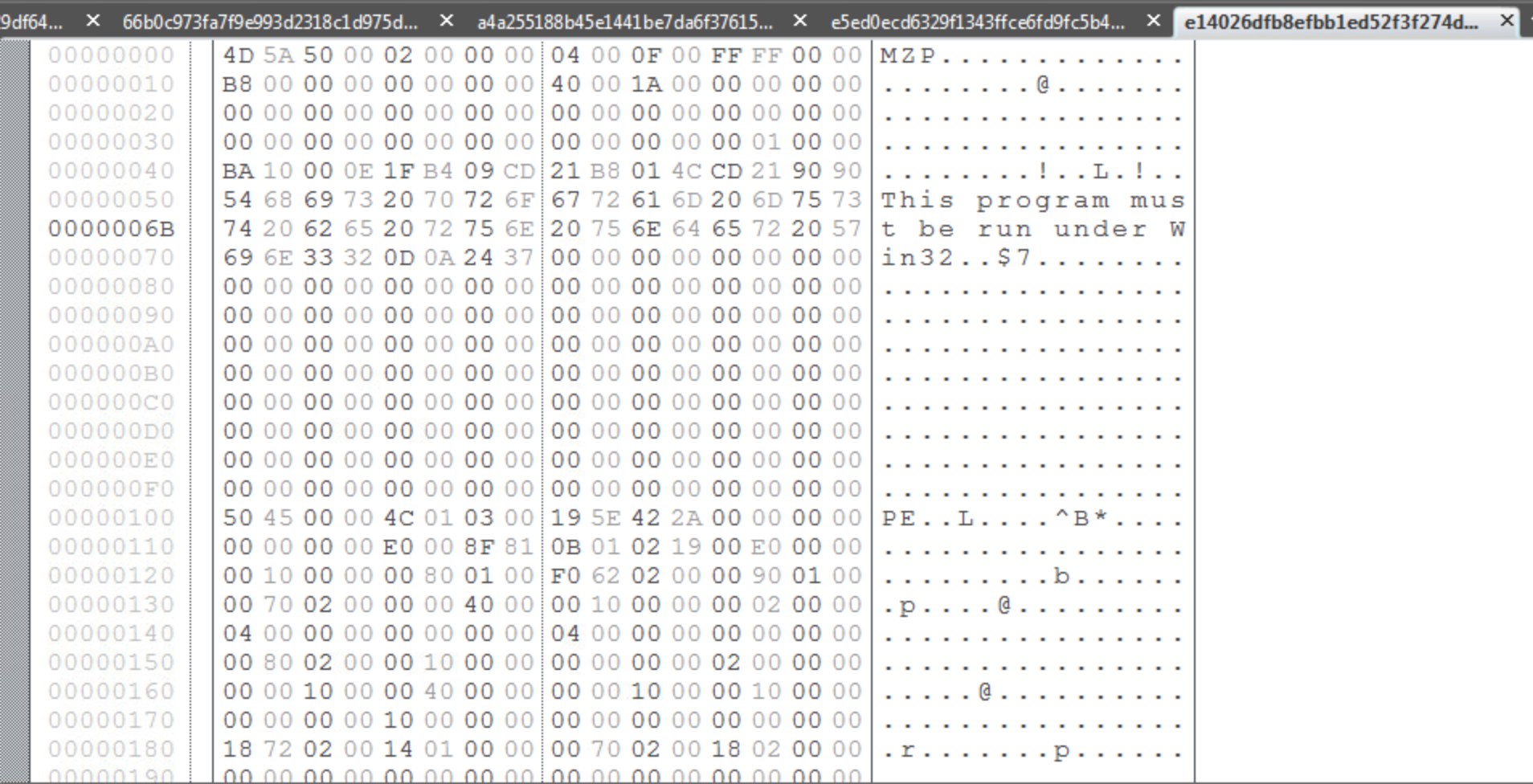
There are two plugins for FileInsight called Strings and StringsAll that produce lists of strings within the executable. The difference between the two is that Strings will only produce a list of strings containing a minimum of 7 characters and StringsAll produces a list of strings with a minimum of 2 characters. For the purposes of this lab, I chose to use the Strings plugin because it made the list of possible strings more manageable and it would be hard to determine which of the many 2-3 character strings from StringsAll were significant to the malware.
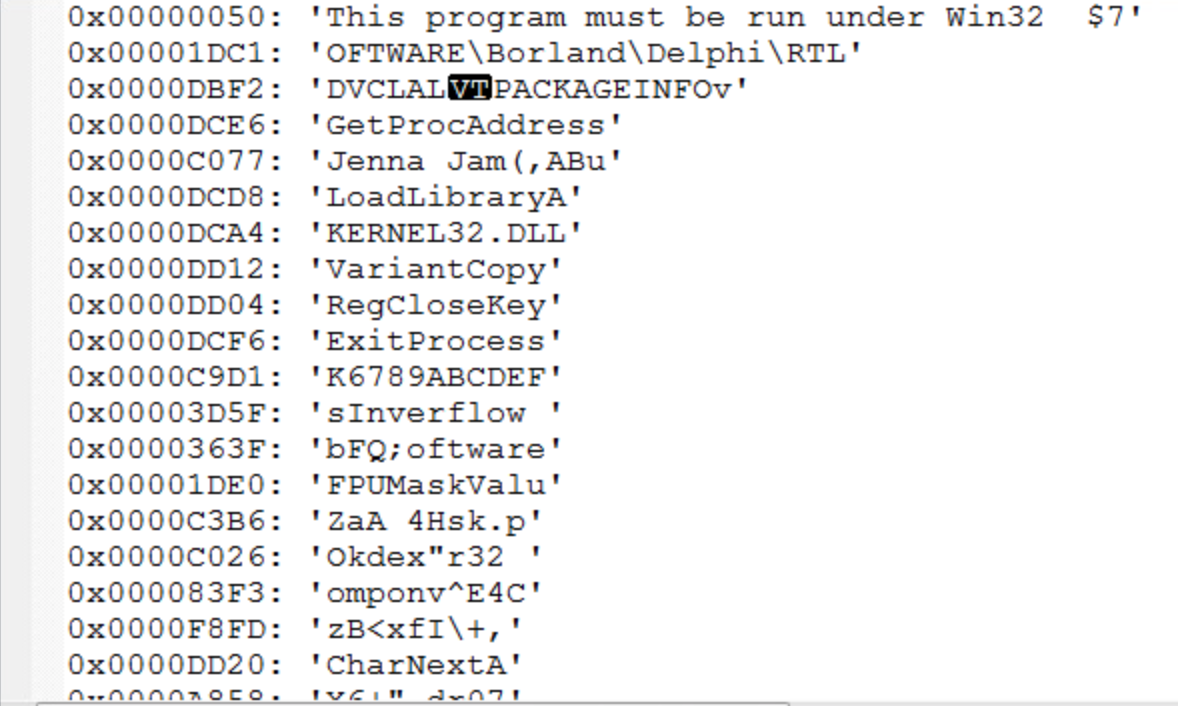
From this list of strings, it is our job to determine which are indicative as malware and which are common to the other malware samples so that a YARA rule can be written to classify the malware. Since I do not have much experience with identifying strings common to malware, I used a quick Google search to determine if any of these strings are common to known malware. Another possibility is that the strings found are for common windows files. For instance, KERNEL32.DLL is a standard dynamic link library for the Windows OS kernel. While the malware might be operating on this file in some way, it’s presence in the sample is not enough on it’s own to identify it as malware. This also goes for something like LoadLibraryA, which I found out is a Windows libloaderapi.h function call. This also would not be unique to a malware sample.
After analyzing the strings from each sample, I used the YARA editor to check which strings were common to all files in the sample by writing a YARA rule. It was tempting to include “Borland” or “Delphi” in my rule, since all samples included it, however it would not necessarily indicate that the sample was malware since Borland Delphi is a legitimate programming language although a lot of malware is written using that language. The two strings that I used for my rule were “Jenna Jam” and “FPUMaskValu”.

This was the YARA rule I came up with for the Sytro samples given to us.

After going through this lab, it was apparent that making these manual comparisons was very inconvenient. In the class lectures, it was mentioned that this process of analyzing samples and finding comparisons could be automated. In the real world, when analyzing new samples, we don’t know if the sample is clean or dirty. One of the new approaches discussed in lecture to better analyze these samples is to train a machine learning algorithm with categorized samples and then have it categorize new samples. But there are also disadvantages of automating categorization, especially with a white-list approach. While there are 300 million malware samples collected at McAfee so far, the number of white-listed files is even larger and they must be categorized. In addition, malware can be VM-aware so that when analyzed in a sandbox it is not detectable.
Our lab from the second set of lectures covers the Cuckoo tool. Cuckoo is tool that allows a host system to control a virtual network of VM’s that analyze malware samples and report the results to the host. In the demo of Cuckoo we worked through in the lecture. We analyzed the original malware sample from our first Lab in week 1 using Cuckoo. In the cmd prompt, we navigated to the analyzer directory and ran analyzer.py then fakenet.exe. This created some logs in the C:\Cuckoo directory.

For the final lab, we were given four different samples and tasked with using the tools available to confirm that at least one of the files is malware. The sample that I found to be malware was A187…B303.

This is the CSV output of the cuckoo logs for A187…B303. It creates the ntshruis.dll file in a temp folder and opens the print.exe it also created in the same temp folder.

A batch file is also created in the same Temp directory called Deleteme.bat. The batch file is executed and deleted. A subsequent check of the Temp directory reveals that Deleteme.bat is no longer present.

One of the files created by the sample in the …/AppData\Local\Temp\ directory is ntshruis2.dll. A quick google search for this file name reveals that this dll is a known variant of Win32/Packed.VMProtect.AAN. It is also packed, which the lectures note is suspicious.

 Ben Jones CS 373 Blog